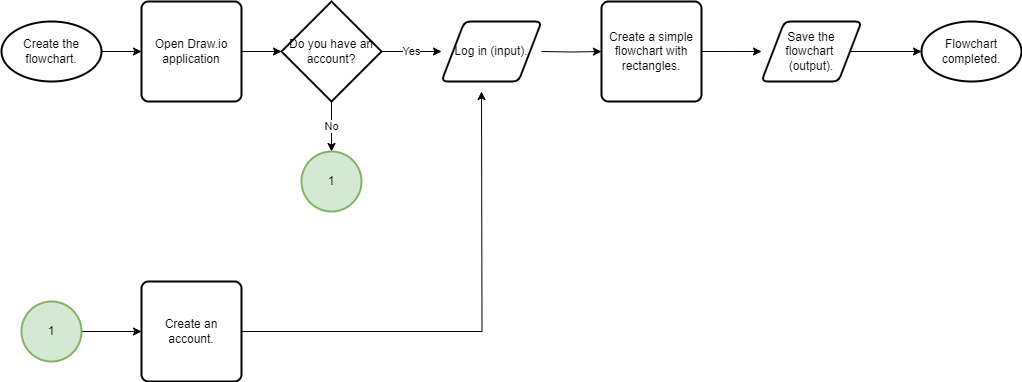
Basic flowchart shapes for non-technical users.
- Arrow (Flow)
- Rectangle (Process)
- Diamond (Decision)
- Oval (Start/End)
- Parallelogram (Input/Output)
- Circle (Connector)
Arrow (Flow)
Arrows guide you from one step to the next.
Rectangle (Process)
In a sequence of actions, each step in the process will be presented with a rectangle and connected with arrows:

Diamond (Decision)
A diamond represents a decision point where you must choose between two or more paths:

Oval (Start/End)
Oval shapes represent the starting point and the completion of the process.

Parallelogram (Input/Output)
A parallelogram represents data that is either being input or output into the process.

Circle (Connector)
When a flowchart is too big to fit on one page, we can break it into several parts and connect them with circles.