SKS365 Malta
Introduction
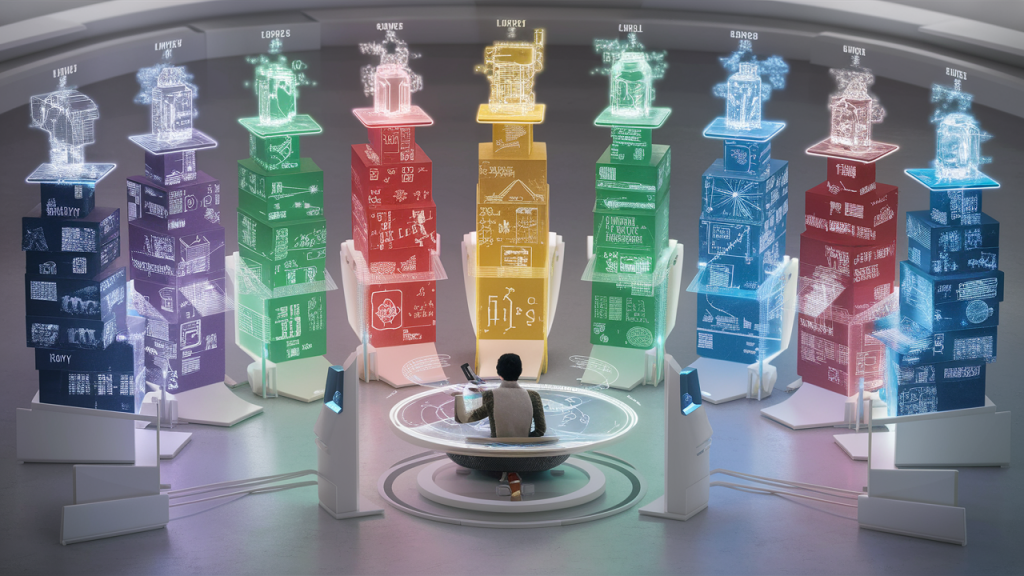
At SKS365, where I first worked as a technical writer, I created a knowledge base that contained documents for the IT department, while other departments maintained their own sections.
The company had a wide range of products divided into several broad areas. These areas were the starting points for the knowledge base. Each area had its own branches, which in turn had further subdivisions, etc.
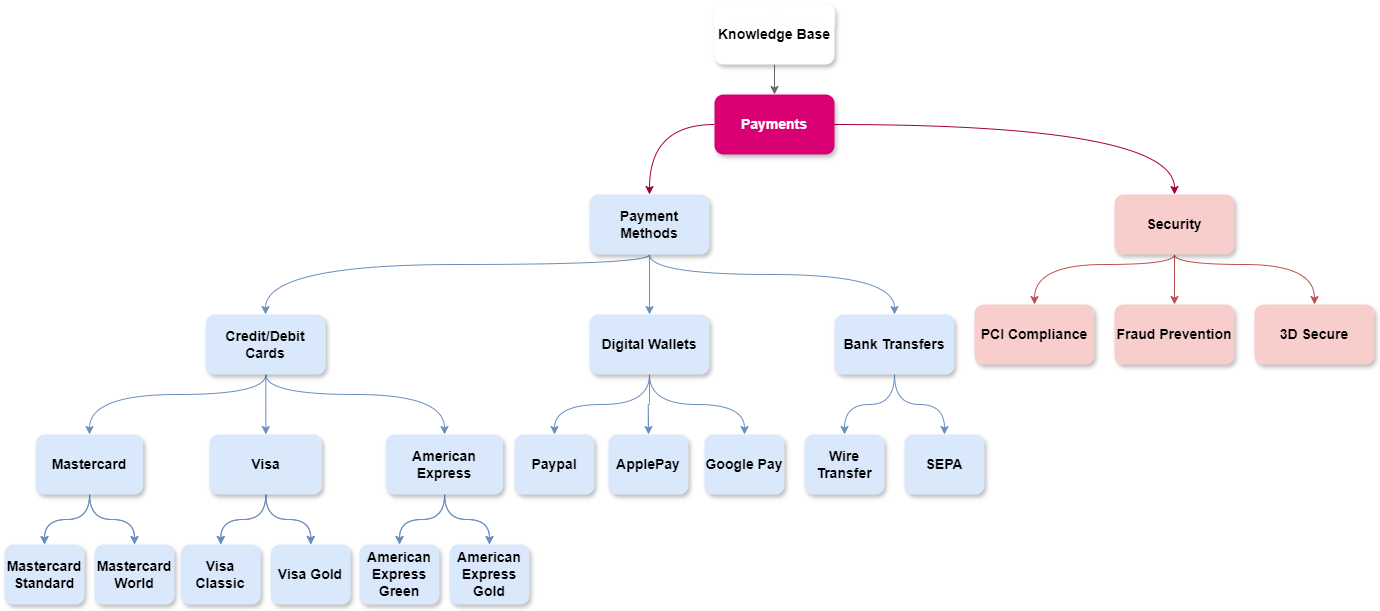
Example – Payments
Maintaining a knowledge base in the highly complex sports betting industry is challenging. Let’s take as an example (not actual info) the Payments area. It had two subcategories:
- Payment Methods
- Security
Payment Methods
In this category, there were three subcategories and further branching under them:
- Credit/Debit Cards
- Visa
- Visa Classic
- Visa Gold
- Mastercard
- Mastercard Standard
- Mastercard World
- American Express
- American Express Green
- American Express Gold
- Visa
- Digital Wallets
- PayPal
- Apple Pay
- Google Pay
- Bank Transfers
- Wire Transfer
- SEPA (Single Euro Payments Area)
Security
The Security category included three main topics:
- PCI Compliance
- Fraud Prevention
- 3D Secure
All subcategories had further subcategories.
Document Types
The knowledge base I managed included:
- Detailed product descriptions,
- Explanations of key features,
- Extensive user guides accessible to anyone in the company,
- Information and guides for different processes, and
- An onboarding section.
Maintenance and Update
As a member of the release management team, I had good visibility into changes, which enabled me to update most documents on time.
ASW Inženjering
Introduction
My task was to develop a new, structured knowledge base that should contain:
- All document types (technical, functional, user guides, procedures, project plans, test cases, system documentation, requirements documents, change logs, etc.)
- Documents for internal and external users (clients),
- Easy navigation and accessible information retrieval,
- Various team sections (developers, QA, product maintenance, etc.),
- Different access rights,
- A folder structure hierarchy beginning with products and their versions.
In most cases, product versions were not documented. There was a need to find or create documentation to avoid time-consuming and frustrating investigations whenever there is a need to work on them.
Tools and Software
The firm chose Wiki.js as a new DMS (open-source software, still in development), and mandatory Markdown format for all documents.
Research and Planning
To begin, I conducted thorough research with teams to understand their habits, problems, and potential solutions. After analyzing the results, I proposed a general solution.
Implementation
Following approval, my tasks included:
- Establishing a consistent folder structure for each product,
- Creating sections for each team,
- Coordinating permission settings with the main administrator,
- Importing and converting old documents into Markdown format,
- Defining and implementing a tagging system, including rules for effective tag usage.
Despite Wiki.js having limited search functionalities (only a search box, tagging, and folder structure), I was confident that strict document management control and supervision would make these tools efficient.
Folder Structure
The firm does not have a wide range of products despite being in the market for over thirty years. However, each product has countless versions, including customized versions for clients, enhancements, and feature modifications.
So, the basic folder structure was: products -> product versions (only three most recent) -> document types. After that come teams where they organized folders as they liked.
The following diagram is a good example (not actual info):
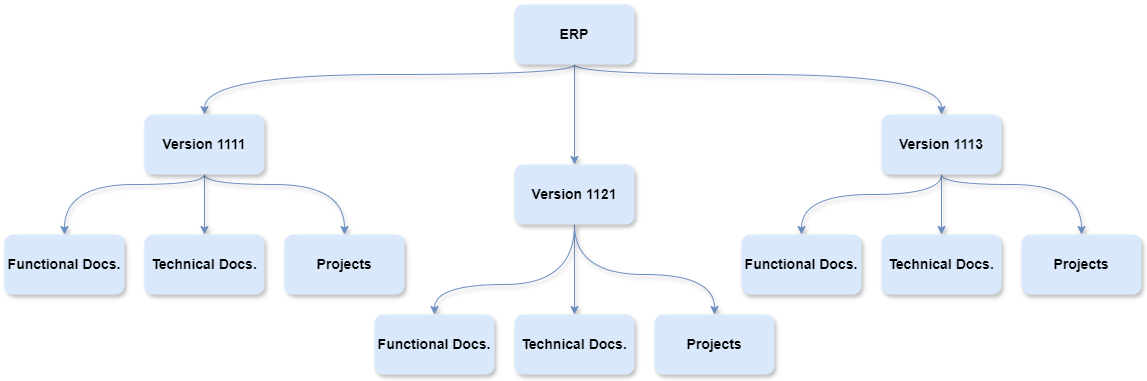
Each version has a unique version number where each digit indicates the type of change: major, minor, patch, etc.
With this folder structure each version contained ALL relevant information.
Document Lifecycle Management
There was additional work:
- A review and approval workflow for publishing documents,
- Labelling document status (e.g., in progress, outdated, awaiting approval),
- An update procedure,
- Version control mechanisms,
- Standardized terminology to ensure consistency and clarity.
Supporting Materials and Training
Finally, I created a whole section with user guides and explanations for Wiki.js. Considering that many employees had limited English language proficiency, I wanted to ensure they had access to the necessary information about the software within the company, without having to rely on external resources.
There were also training sessions.
Future Prospects
Wiki.js is reliable and very fast. It is expected to include many more useful tools and advanced features in future updates, making the initial effort worthwhile.
Conclusion
That was my part of the job. It was then on the firm and employees to show initiative in changing habits and start using their new knowledge base effectively.
 Beyond the Frame